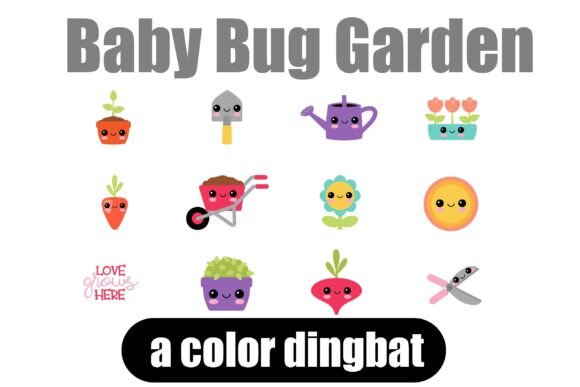
Baby Bug Garden: A Kawaii Dingbat Font for Instant Charm
Sometimes, a project needs a spark—a playful detail that catches the eye and tells a story without words. You might be designing a children's birthday invitation, labeling jars of homemade jam, or creating a line of stickers. You know you want something cute, consistent, and easy to use, but sourcing individual graphics can be time-consuming and expensive. This is where a thoughtfully crafted dingbat font becomes an invaluable asset, transforming simple keystrokes into charming visual elements.
The Baby Bug Garden dingbat font offers exactly this kind of creative shortcut. It’s not just a collection of symbols; it’s a cohesive set of 26 kawaii-style bug illustrations, each one a tiny work of art. Think of it as a toolkit of mini graphics embedded right in your font menu. By typing a standard letter, you instantly generate a scalable, vector-quality icon—no image files to manage, no graphic software required beyond your word processor or design app. This approach streamlines your workflow, ensuring every bug you use shares the same delightful line weight and whimsical style, which is crucial for professional-looking results.
Practical Magic: Where Dingbats Shine in Real Projects
The true value of a creative font like this lies in its application. It’s a versatile design asset that can adapt to a surprising range of creative and commercial needs. Consider how consistent, thematic icons can elevate a brand's identity or a personal project's aesthetic. For small business owners, especially those in the crafts, food, or children's product space, these icons become a signature element.
Imagine using the ladybug or butterfly from Baby Bug Garden as a recurring motif in your packaging design. It could appear on box flaps, seal stickers, or as a subtle watermark on tissue paper. This builds brand recognition through a consistent visual language. The same icons can be used to create custom social media graphics—a series of Instagram story templates, for example, where each bug frames a different customer testimonial or product feature. Because the icons are part of a font, they scale perfectly for web design elements like bullet points in a blog post, decorative dividers, or icons for a services page.
For content creators and bloggers, the applications are just as rich. Use the bugs to create unique section headers in a newsletter, design eye-catching pins for Pinterest, or illustrate a digital recipe card. The font's playful personality is perfect for invitations, greeting cards, and party printables. You could even use it to develop a set of merchandise—think tote bags, enamel pins, or sticker sheets—where the bug illustrations become the core product. The key advantage is the ability to produce these assets quickly and with guaranteed visual consistency, which strengthens the overall professional presentation of your work.
Integrating Playful Icons into Your Design Workflow
Using a dingbat font effectively requires a bit of strategy. First, consider your project's overall tone. The kawaii style of Baby Bug Garden is inherently friendly, approachable, and youthful. It pairs beautifully with clean sans serif fonts for body text, creating a balanced and readable layout. For a more whimsical feel, you might combine it with a script font or a handwritten font for headlines, but be cautious—too many decorative elements can overwhelm a design. The goal is to let the icons enhance, not compete with, your typography.
Always test your font pairings. Type out a sample headline with your chosen display font and insert a few bug icons to see how they interact in terms of size, weight, and style. Does the icon sit comfortably next to the text? Does it align properly? Since these are vector-based, you can resize them without losing quality, but getting the proportions right in context is key to readability and visual flow.
Another practical step is to review all the included characters. Map out which letters correspond to which bug. This "cheat sheet" saves you time during the design process. Also, be mindful of commercial licensing. If you're creating items for sale—whether it's a client's logo design, a product line, or marketing assets—ensure your license covers that use. A high-quality premium font will clearly outline its permissions, giving you peace of mind as you build your brand identity or expand your creative offerings.
Ultimately, tools like the Baby Bug Garden font are about unlocking creativity within constraints. They provide a structured yet playful element that can unify a project, from editorial layouts in a magazine to the hang tags on a handmade garment. By integrating these scalable icons into your toolkit, you're not just adding decoration; you're adopting a system for consistent, engaging, and efficient visual communication. It’s a small asset that can make a significant difference in the polish and personality of your final product.